
This will be a day long remembered
In only a few minutes you can setup HPE Aruba Networking Central NAC to allow anyone with an OpenRoaming profile to connect to your Wi-Fi network.
Central NAC will perform the Access Network Provider (ANP) role in the OpenRoaming ecosystem, functioning as a RadSec proxy for authentication to the user’s home Identity Provider (IDP).
This will be a short post because it literally took me five mins to setup and test this after hearing it is now possible.
When in Roam
I already had the Purple OpenRoaming profile installed on my phone, but any OpenRoaming profile will do.
See my previous blog post for more info: Purple offers OpenRoaming for free (as in beer!)).
If you’re an iOS user you can download the OpenRoaming App from the app store, or for Android you can connect with a native Google account profile straight from your device.
There is also OpenRoaming Connect that you can use to try out OpenRoaming.
Hold my beer
1. Create a WLAN Profile, the SSID can be called anything you like (literally that, if you want).
Pick WPA3-Enterprise (because friends don’t let friends configure WPA2-Enterprise), select Central NAC and check Air Pass.
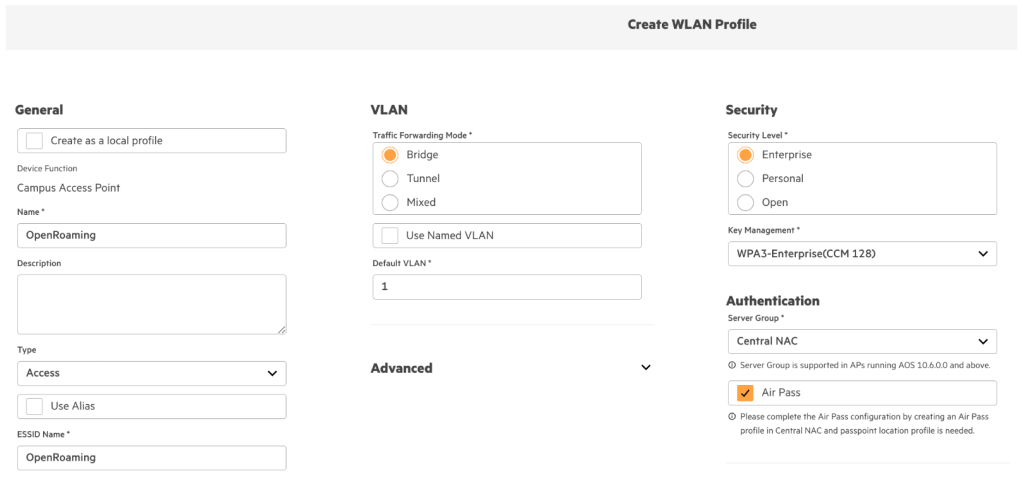
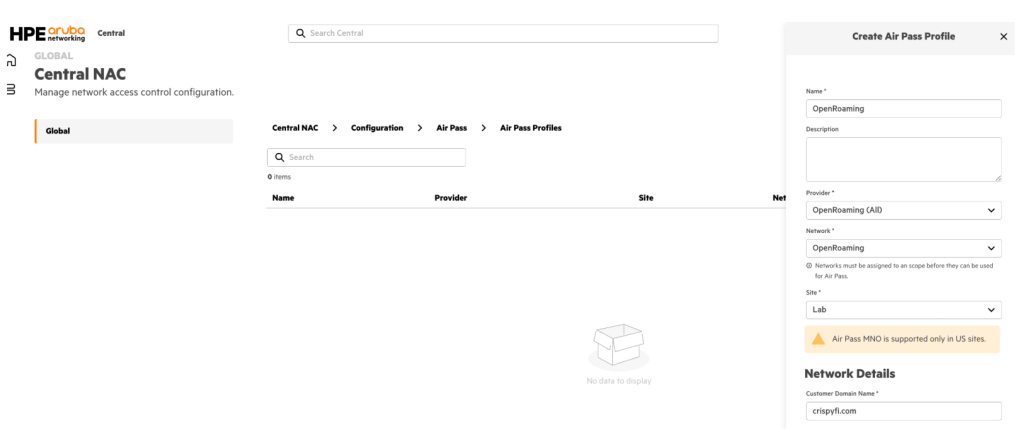
2. Like the small ‘i’ says, head over to Air Pass in Central NAC and create an Air Pass Profile.
Select the built-in OpenRoaming (All) provider, select your Network and Site from the drop-down menu, enter your domain name, select site type and click Create.
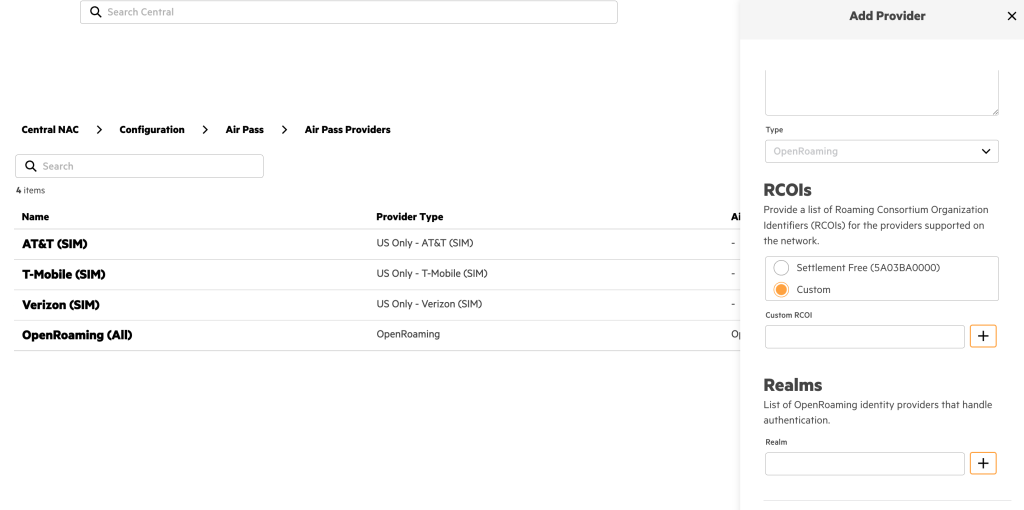
You can also create a custom Air Pass Provider with
You can also create a new Air Pass Provider with a custom RCOI and Realm list if you’d prefer.
3. And you’re done. I’ll have my beer back now thanks.

PCAPs or it didn’t happen
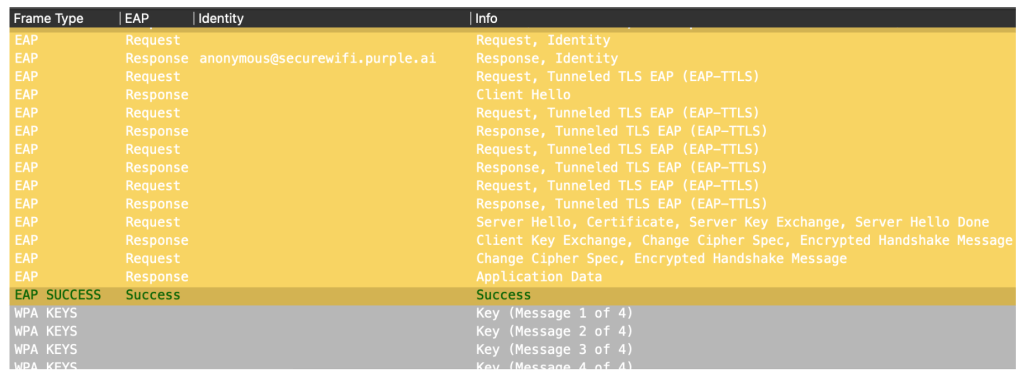
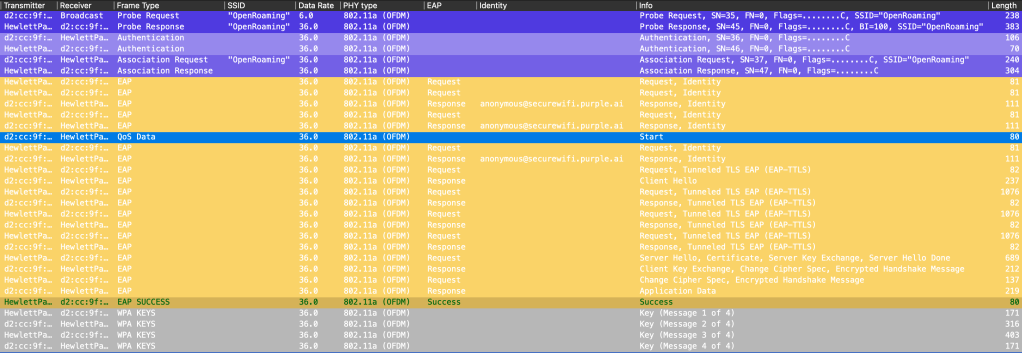
A good post wouldn’t be complete without a packet capture using the famous MetaGeek Colouring Profile.
Here you can see my device authenticating using EAP-TTLS with an anonymous outer identity courtesy of Purple.
The green EAP Success pretty much sums it up.
Wi-Fi, Wi-Fi, Wi-Fi the Explorer
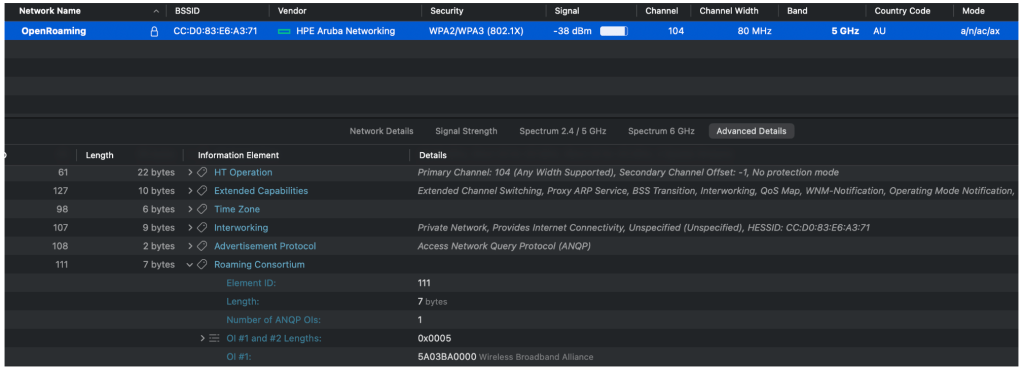
Here is another screenshot from Wi-Fi Explorer Pro for good measure:
Closing Time
For more information, head to HPE Aruba Networking Central Online Help.

 CrispyFi Blog