
In case you were wondering, this is a post about HPE Juniper Networking’s Cloud NAC offering – Access Assurance. Great, now that’s cleared up, on with the post!
The way things were
For most of the ClearPass deployments I’ve been involved with in the last few years, the requirements for wireless have been pretty simple:
- Authenticate managed devices and/or users (mostly Intune + Entra ID)
In order to meet this requirement, I’d typically configure:
- TEAP with chained EAP-TLS to authenticate Windows devices and users, and plain EAP-TLS for other OSs.
- Entra ID and Intune API integration for authorization.
- Intune configuration payloads including where to enrol for a certificate from a suitable CA, whether it be ClearPass Onboard, SCEPman, SecureW2, NDES, or ADCS with a certificate connector.
Anyone for a SNAC?
With the trend towards SaaS for everything else, what about NAC? (SaaS NAC = SNAC?) you heard it here first folks, Gartner eat your heart out 😛
HPE Networking have Aruba and Juniper Mist flavoured ‘SNAC’s which are rapidly growing in functionality, and are respectively:
- Central NAC
- Access Assurance
There were two features in particular which compelled me to spin up a demo of Access Assurance:
- PKI with SCEP integration
- TEAP
To the lab!
Any good lab work should start with a hypothesis (or so primary school science taught me).
Mine was this: A SaaS NAC should be able to replace an on-prem NAC for most customer’s wireless needs.
(By the way, this blog post isn’t intended to be a deployment guide, but rather to highlight key functionality that might help you decide whether or not to deploy Access Assurance, based on my experience).
Here are the key features of Access Assurance:
- OAuth IdP integration for group based authorization
- MDM integration for compliance checking
- PKI which can be integrated with Intune or Jamf Pro for issuing certificates to managed devices
- Support for TEAP (basic for now)
- Support for non-Mist devices with use of a Mist Edge (RADIUS Proxy – licensed separately)
- IdP SSO integrated portal to provision unmanaged devices with a certificate
- Supports ‘BYO’ Client Root CA and Server Certificates if you want to use it with an existing PKI
- Competitive license pricing, counted on concurrently connected users (not seats)
Keep it Simple
The first thing I noticed is how simple everything is. A lot of the nuts and bolts have been hidden under a layer of goldilocks-level abstraction.
Everything that you need to configure for the NAC itself is done from this humble menu.
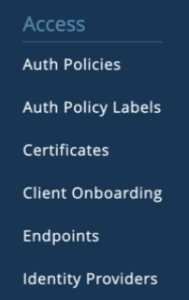
In no particular order, here is a quick tour:
Identity Providers
Setup your IDP using OAuth after first creating an Entra ID App Registration with the appropriate permissions and Client Secret. This will allow you to perform group lookups for authorization.
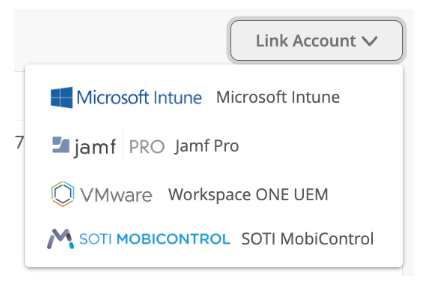
Next, link your MDM of choice for compliance checking.
If you’re signed into your Azure Portal account with the correct permissions, linking your Intune account is as simple as approving access to a pre-canned service.

Other MDM options are available too:
Client Onboarding
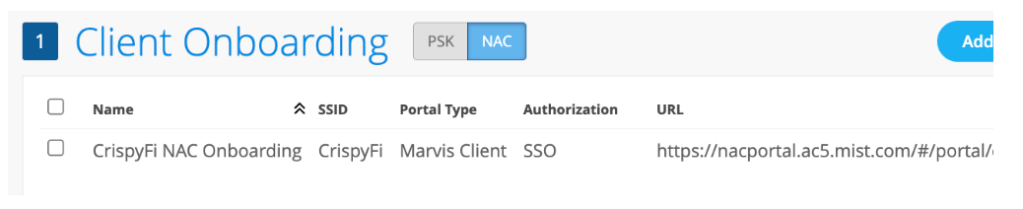
If you have unmanaged devices that you want to deploy a certificate and Wi-Fi configuration profile to, you can create a NAC Onboarding Portal, complete with SSO using SAML against your IdP of choice.
There is even a pre-built Entra ID Enterprise App for the SSO bit:)
You need to install the Marvis App on your OS of choice for this to work.
Certificates
On the Internal tab you can view all of your issued certificates.
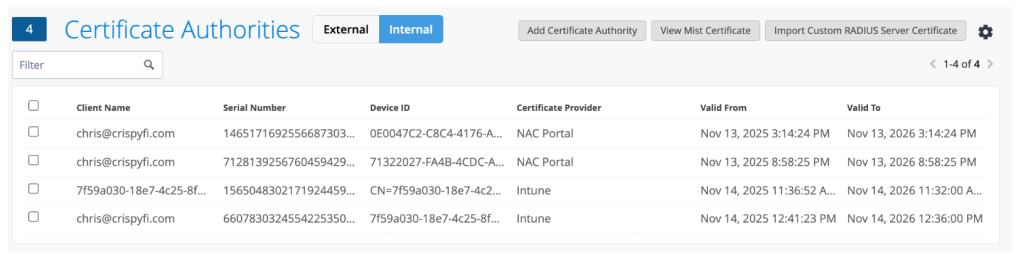
You can upload your own CA certificate, in case you issue client certificates to your devices from another CA.
You can also upload your own RADIUS Server certificate as well if you’d prefer to use your own PKI entirely.
If you’re sticking with the Mist CA, you can download the CA certificate that sits above the RADIUS Server Certificate in the chain of trust, for deploying to your devices via Intune.
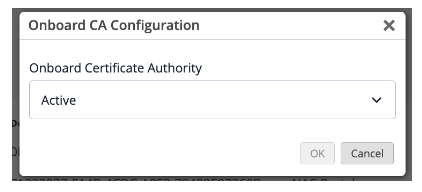
Enabling the CA couldn’t be simpler, you just choose ‘Active’ from the drop-down menu accessible from the gear icon.
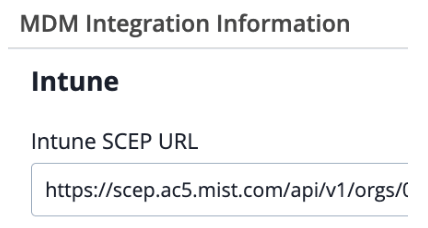
You can also view the SCEP URL for integration with Intune or Jamf Pro, and download the Onboard CA Certificate, for deploying to your devices.
Auth Policy Labels
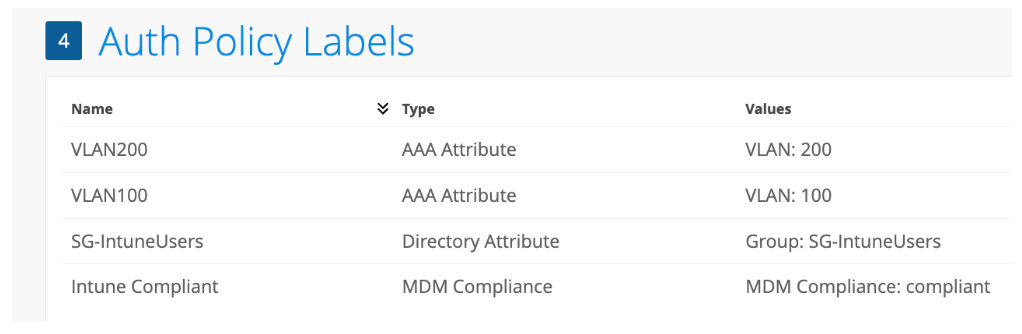
Auth Policy Labels are the building blocks for your policies.
They can be used either as match criteria (e.g. Entra ID Group) for a particular rule, or as an action to take after authentication (e.g. Assign a particular VLAN ID).
Auth Policies
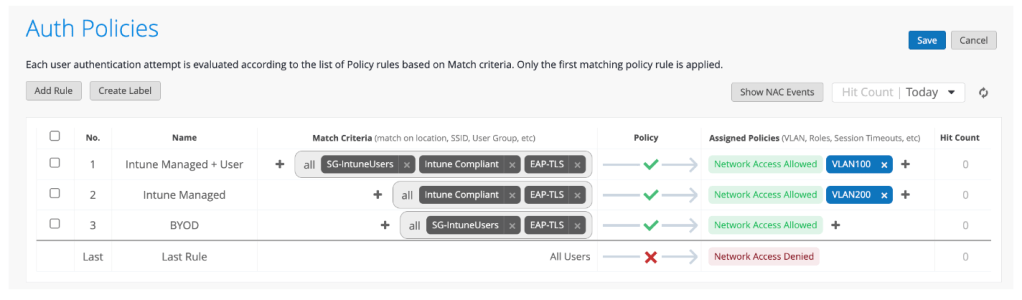
This is about as simple as it gets.
My list of policies is as follows:
1) EAP-TLS User authentication with Entra ID Group and Intune Compliance authorization
2) EAP-TLS Device authentication with Intune Compliance authorization (i.e. Windows logon screen)
3) EAP-TLS User authentication with Entra ID Group authorization (for a Marvis Client enrolled device)
NAC Events
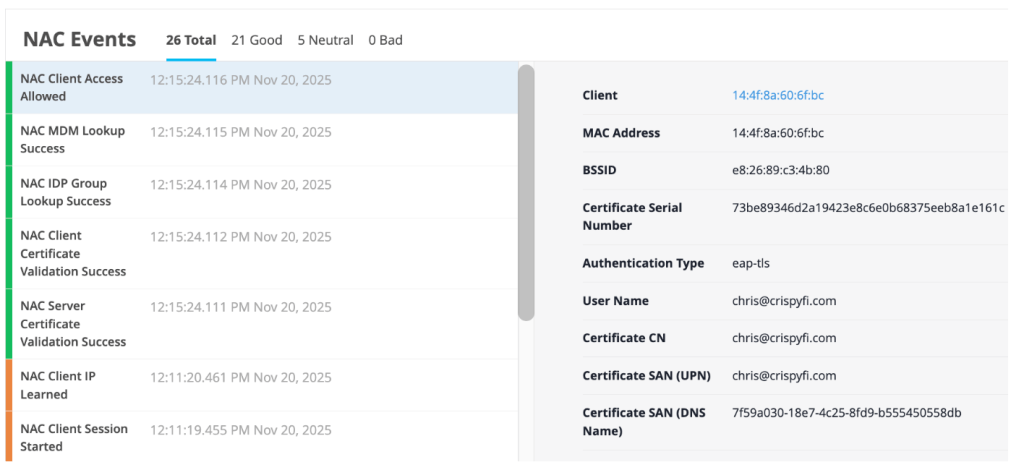
Logging is pretty simple but perfect for troubleshooting policy or client configuration issues.
Intune Configuration Profiles
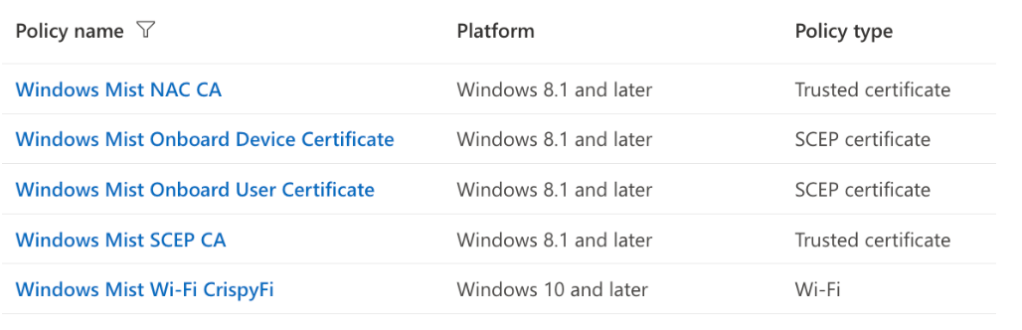
Worth mentioning of course are the various configuration profiles that need to be created in Intune for a complete solution.
Mist opportunity?
Since I only (currently) have Aruba APs in my lab, I thought there would be no way to test Access Assurance with getting hold of a Mist AP first.
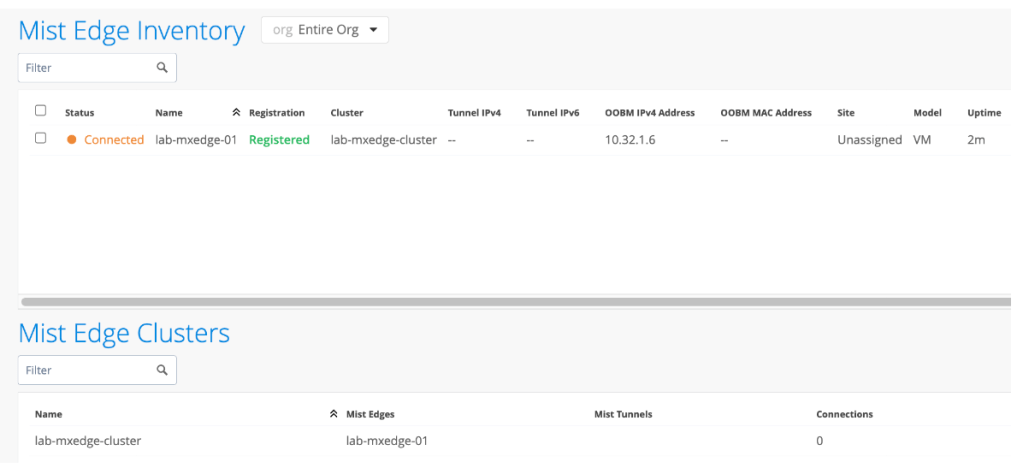
I was wrong. Under the hood, Access Assurance only accepts RadSec (RADIUS over TLS) connections from Mist devices, but this also includes Mist Edge virtual appliances.
Although licensed separately, you can quite easily spin up a Mist Edge VM to accept regular RADIUS traffic and proxy it to Access Assurance using RadSec.
A little bit of Azure lab credit later, I was well on my way.
All I had to do in HPE Aruba Networking Central was add the IP address of the Mist Edge appliance as a RADIUS Server in my SSID config.
TEAP
As I mentioned, my go-to for Intune managed Windows device authentication is TEAP with EAP-TLS.
I tried to setup a basic set of policies which treated a user + computer authentication differently to a computer only authentication (e.g. Windows device at logon screen).

For now, computer only authentication only is not supported. So we’ll have to use regular EAP-TLS.
Closing Thoughts
So what about my hypothesis? Can a SaaS NAC replace an on-prem NAC for most customer’s wireless needs? The answer is almost.
For what I personally configure, once TEAP support is feature complete and if TEAP & SCEP cross-pollenate over to Central NAC 😉 that will cover most wireless deployments.
Wired is a different story – I’m yet to put Central NAC or Access Assurance through its paces for a ‘Colourless Port’ deployment with profiling, although with the recent enhancements to the AI based client profiling (had to get the buzzword in at least once) I can’t imagine a robust solution will be far off, if not already here.
In the meantime, if you’d like to try Access Assurance yourself, reach out to your local SE and check out the Access Assurance Guide.
 CrispyFi Blog